Download
Get Group Chat Wrapped for your Mac. It's free.
Loading stats...
Download for macOS
Current version: 1.34
Requires macOS 13 (Ventura) or later
System Requirements
- macOS 13 (Ventura) or later
- Apple Silicon or Intel Mac
- iMessage enabled with group chat history stored locally
Installation
- Download the DMG file using the button above.
- Open the DMG and drag Group Chat Wrapped to your Applications folder.
- Launch the app. The onboarding walkthrough will guide you through granting Full Disk Access in System Settings > Privacy & Security. This lets the app read your iMessage database.
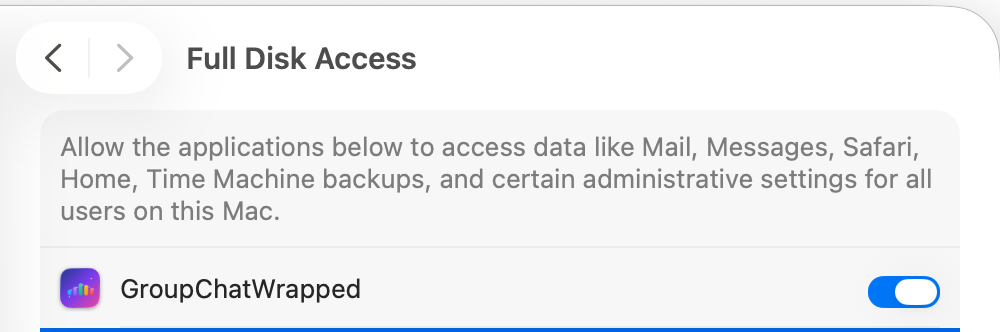
- The app will load your group chats. Pick one and see your Wrapped.
Privacy note
Group Chat Wrapped reads your iMessage database in read-only mode and processes everything locally. No message content or personal data ever leaves your Mac.